Dialo

Your phone rings. Dialo answers.

Dialo lets a voice AI pick up your real calls, take the message, and write down what mattered. You read the notes later, on your phone or laptop.

You need both: the Windows app runs the AI, the Android app connects your phone to it.

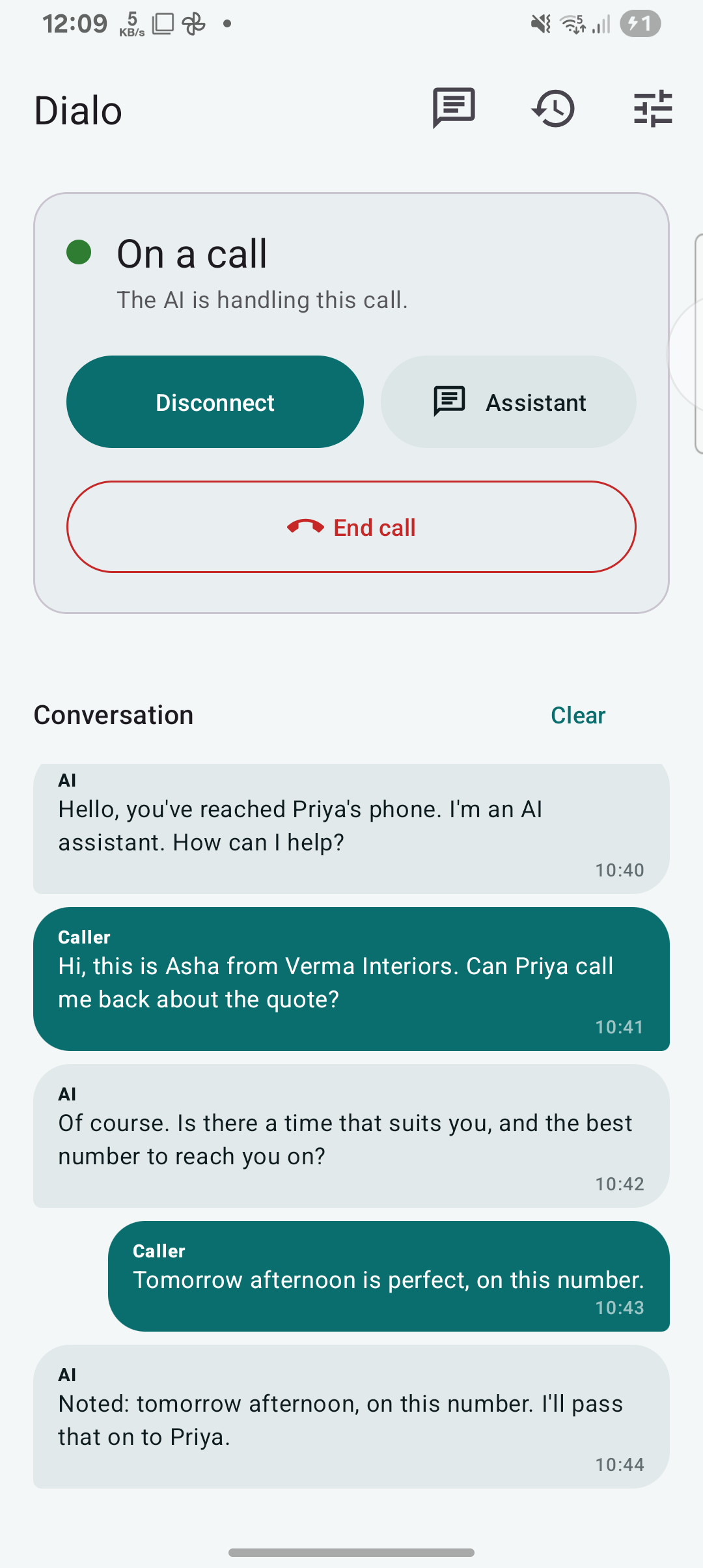
Dialo on Android during a call: the AI is handling the call and the conversation appears live.
Incoming call from Asha

Set up once, then forget it

Dialo works with the SIM card you already have. Nobody has to install anything to call you.

  1. Pair your phone

    Scan a QR code shown by the Windows app. The two stay linked over your own Wi-Fi, encrypted.

  2. The AI picks up

    When a call comes in, Dialo answers with a voice AI. You can step in, or hand a call back at any time.

  3. Read what happened

    Every call gets a transcript, a recording you can play back, and notes: who called, what they want, what to do next.

Notes on every call, written as it happens

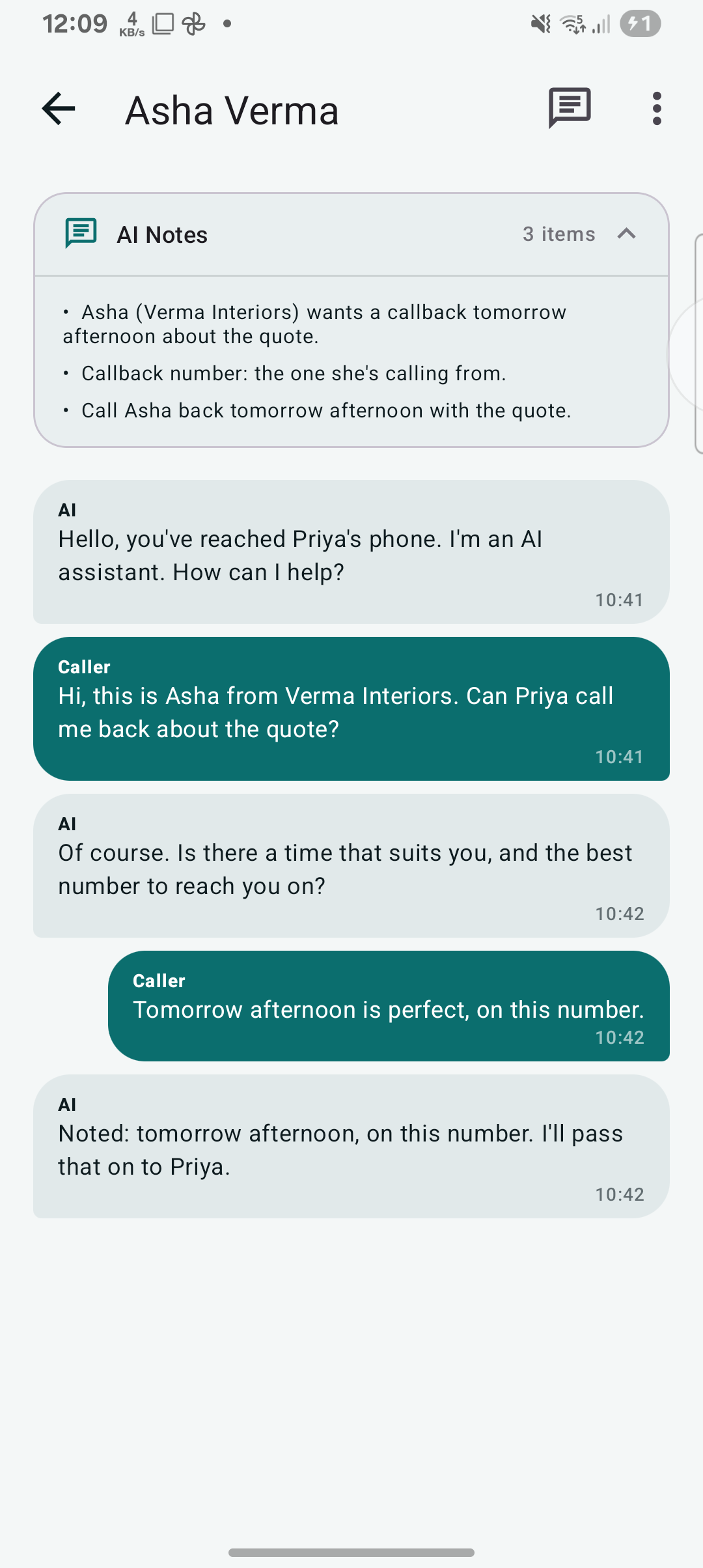
The AI keeps a private notepad for each call: who called, what they want, and anything worth remembering. Notes from one call never reach another.

  • Live on your phone while the call is going on
  • Saved with the transcript and recording
  • Mark any reply Good or Needs work
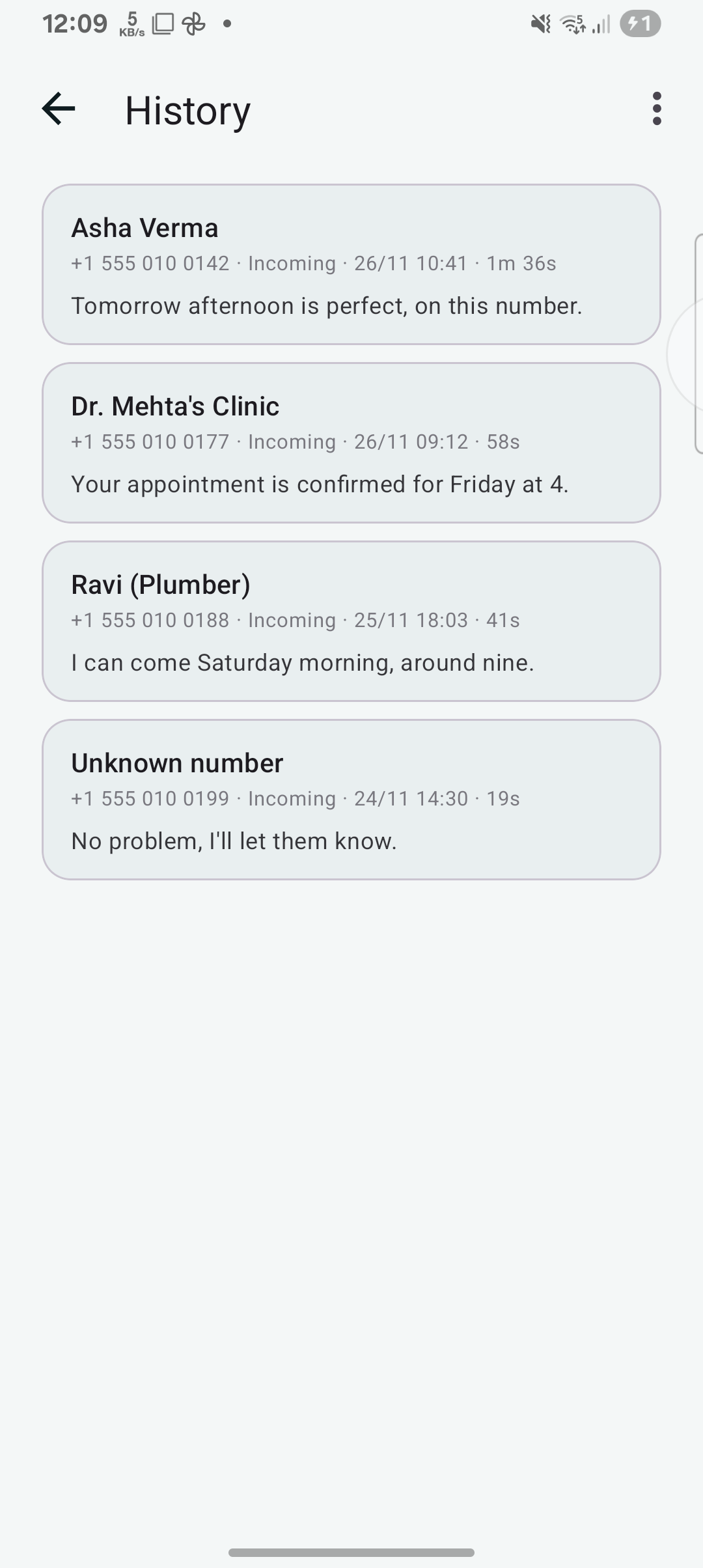
A saved conversation on Android with the AI's notes at the top. The call history list on Android.

Ask your assistant instead of digging through calls

Chat with the Dialo assistant on your laptop or phone. Ask what you missed, or tell the voice agent what to say about your opening hours or prices.

  • Works with Google Gemini, OpenAI, Anthropic Claude, or any OpenAI-compatible service
  • Pick one provider for the voice and another for the chat
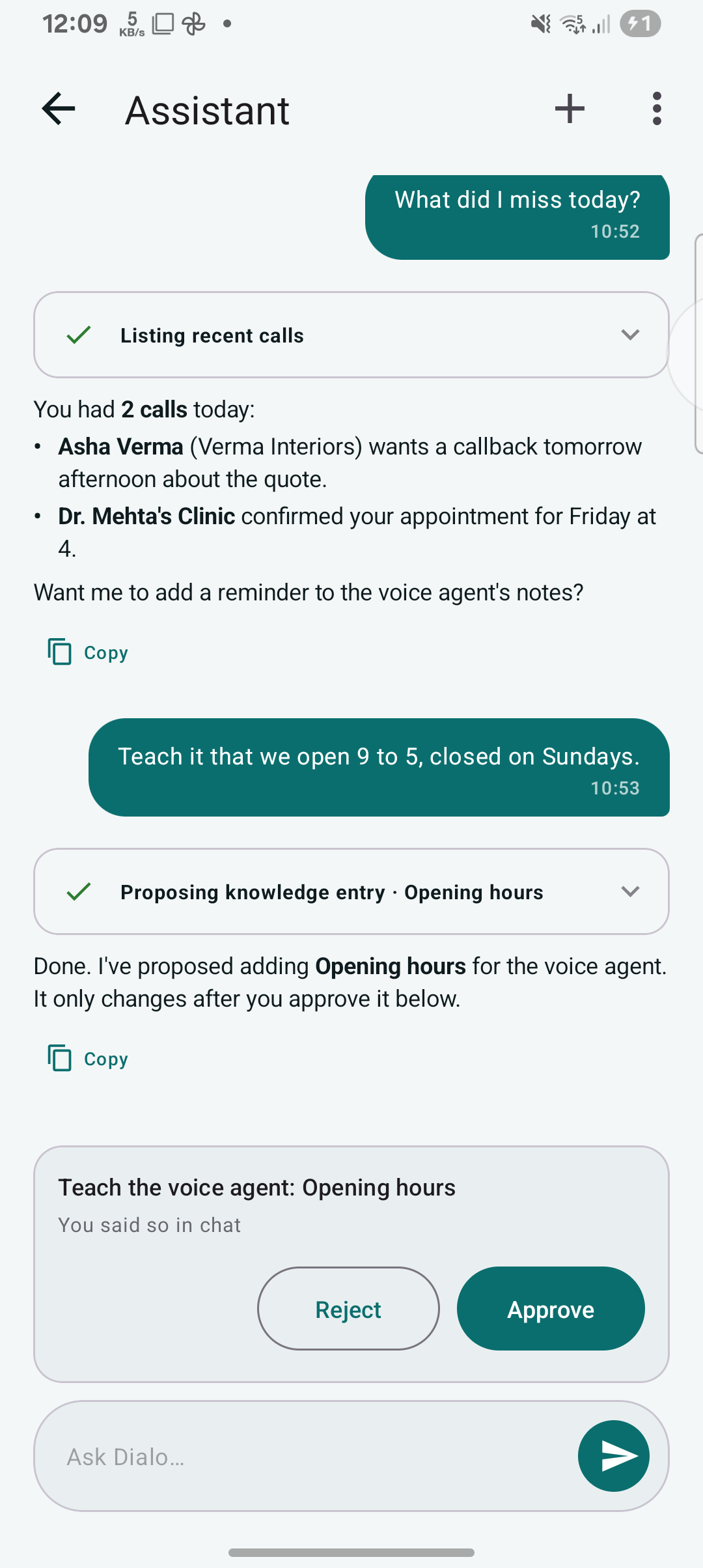
The Dialo assistant on Android proposing a change that waits for approval.

Review and teach from your desktop

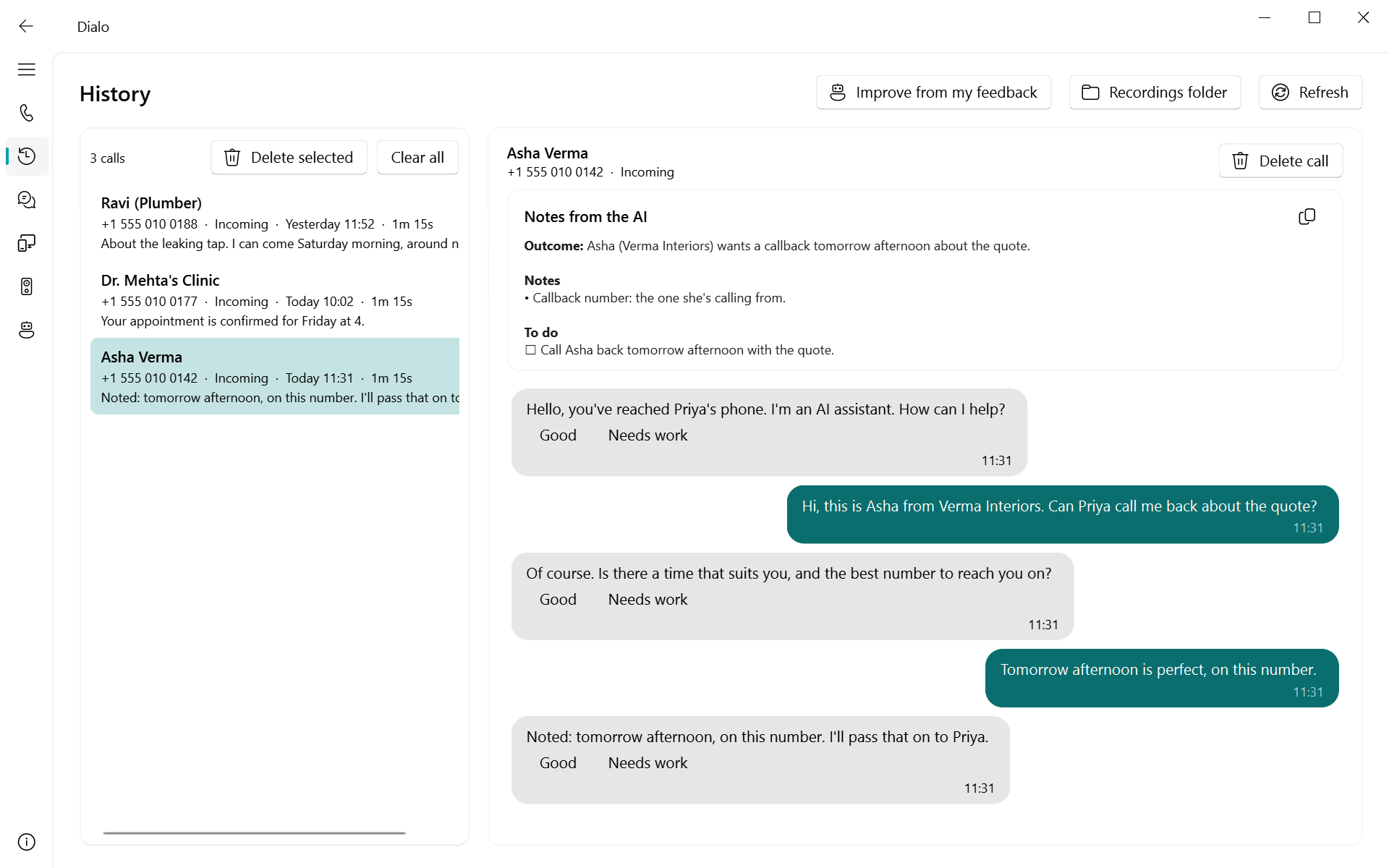
The Windows app shows every call with its notes and conversation. Tell the agent what it should have said, and it learns for the next call.

Dialo for Windows showing a call with the AI's notes and the conversation.

You stay in charge

Nothing changes without a yes

The assistant can suggest new instructions or facts, but each change waits on a card until you approve it. Every version can be rolled back.

Your keys stay on your laptop

API keys are stored in Windows Credential Manager, not in a settings file, and are never sent to the phone.

One call, one memory

Each call starts with a clean slate. The AI cannot read other calls while it is on the line.

Get Dialo

Free and open source. You bring your own AI provider key, so you only pay that provider for what you use.

WindowsWindows 11 and the free VB-CABLE virtual audio device. Phone and laptop on the same Wi-Fi.
AndroidAndroid 8 or newer. Android may ask you to allow installs from your browser the first time.